
 EN
EN
Te-Leo is intended to improve the quality of life for people with visual difficulties. The application is totally free and functional.
The service is completely anonymous.
If you consider it useful and want to participate in the project, you can make a purchase. The company will invest 50% in macular degeneration research, and the remainder to maintain and improve the application. In case of donation, the data provided for the purchase will only be used as a record of the operation. At no time will the data be used for advertising campaigns, marketing or notifications to the device.
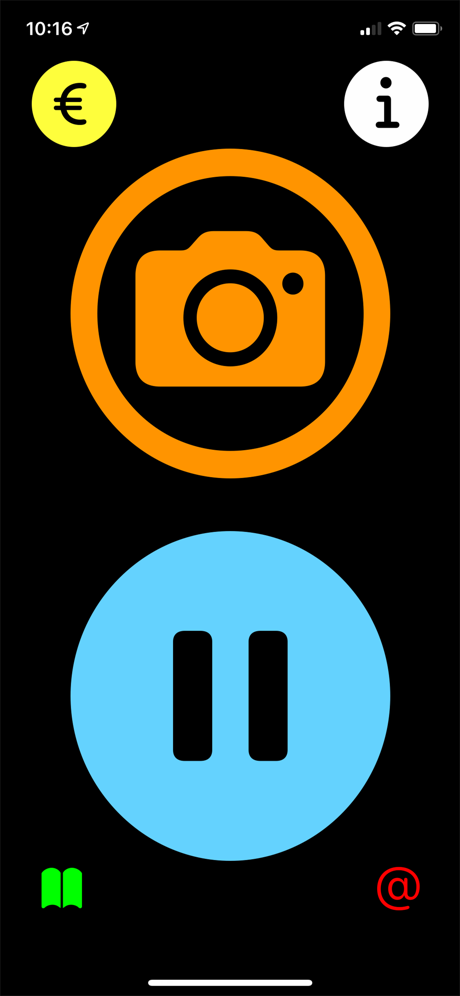
 Camera: It is used to capture the document to be read
 Pause: Used to play/pause playback of the scanned document
 Euro: It is used to access the payment screen to make the donation
 Info: Serves to reproduce the instructions for use
 Book: It is used to access the legal documentation screen of the application
 At: It is used to send an email to the application's support department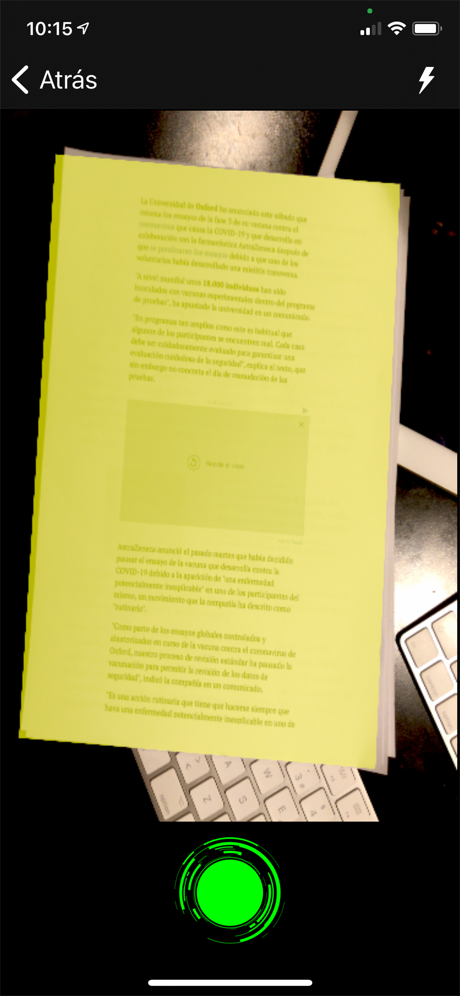
You can stop and resume reading by clicking on the blue button. By holding down the blue button, the same audio will start from the beginning.
At any time you can scan a new document by clicking on the orange camera button.
In the upper left corner you will find a yellow icon with a Euro symbol. By clicking on it, you will access the payment window to make the donation.
By clicking on the green icon in the lower right corner, with an image of a book, you will hear the legal documents of the application. Terms of use, privacy policy and legal notice.
